
4. Juni 2019 Kalender
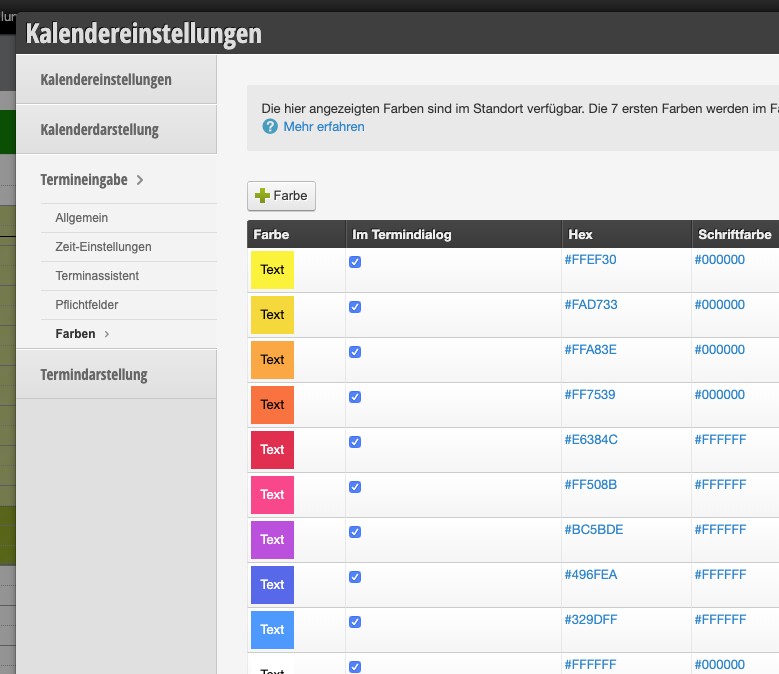
Calendar colors can now be edited even more easily. Instead of the first 8 created colors appearing in the appointment dialog, you can now use a checkbox to determine whether this color should be offered as an appointment color.
This also removed the color limit that previously existed. If many colors are to be displayed in the appointment dialog, they will be displayed on multiple lines.
Furthermore, you can now change the text color if you are not satisfied with the automatic contrast color (white or black). By the way, you can also change existing colors in this way!