
16. Juni. 2013 | von Christopher Rudolf
In May as well, we implemented useful features and improved many things thanks to your feedback. In addition to extra times, optimized calendar display, it is now very easy to keep track of new customers, and to store images and absences for your regular customers.
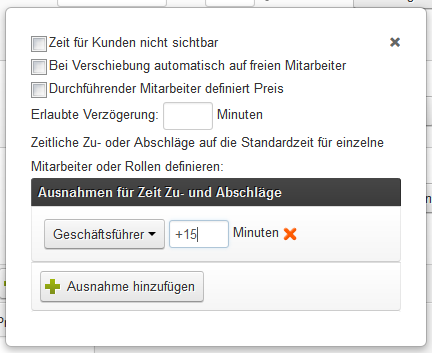
If trainees are working in the shop or employees need longer for certain work steps than others, you should use the extra times function: This allows you to define extra time for an individual employee. For example, you could specify that your trainees need 10 minutes longer for color application than other employees.
To do this, go to the corresponding service step in your product's time planning and there to the advanced settings to create the exception. Here you specify which employees need how many minutes longer.
Tip: Assign your trainees the "Trainees" role and define the exception for the Trainees role. This way you no longer have to adjust the time planning with each new employee.
Absent employees can now be displayed small in the calendar. This allows for a more compact display of the calendar and thus even more overview when browsing through the calendar. This option can be found in the calendar settings.
In the appointment entry, you can now easily distinguish between new and regular customers. To do this, simply select "First Appointment" and the corresponding appointment will be marked as "new".
At last, you can now freely configure the cancellation periods for your appointments as well as the lead times for your appointment reminders. If a customer requests a special lead time, simply go to the appointment options and set the lead time there.
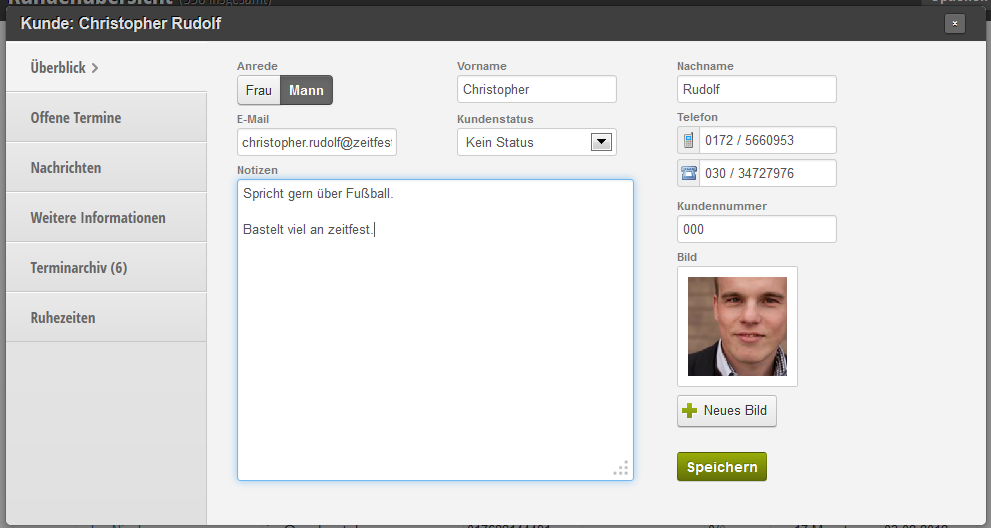
Now configuring images is child's play. Simply select the "Image" type in the customer fields. After that, you can store images for your customers. Use the image function if there is a subscription option in your business or if access checks are carried out.
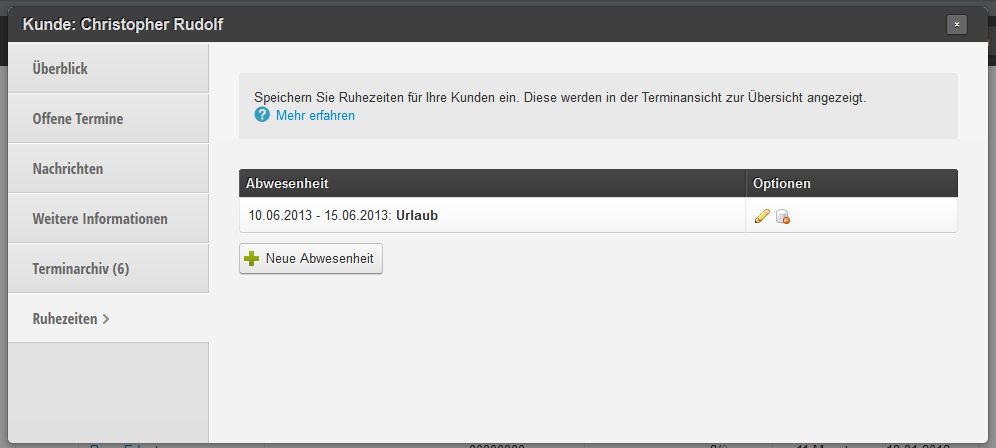
In the customer file, you can now record absences or rest periods for individual customers. These can be activated via additional fields. With this functionality, you can keep track of your subscriptions and see in the appointment export view which customers have rest periods in which calendar week and in which calendar week an appointment still needs to be scheduled.
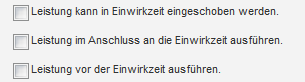
With zeitfest you can already conveniently define processing times and embed services in the processing time. Now it is also possible to define processing times as an entry point for services: a massage or additional color highlights? Simply use the "embed before/after processing time" option to create your desired time planning.
New in the duty roster is the ability to carry over absences and include them in the weekly templates. Previously, it was only possible to carry over working hours and carry over free days. From now on, your absences will be carried over, making your duty roster planning even easier.
If no more appointments are available for a day, you can now define a custom message. For example, you could display your phone number here so the customer can ask if they can still be squeezed in somehow, or humorously let them know that the seat for today is already continuously occupied.
Get in touch with us if you have any questions or would like to take a closer look at Belbo.

Melden Sie sich bei uns, wenn Sie nähere Informationen wünschen!