
10. Mai. 2013 | von Christopher Rudolf
April stands for new features in the customer file, holiday integration in the calendar, optimization for mobile devices and completion of internationalization.
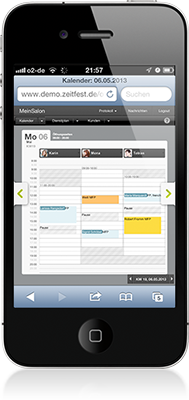 Mobile calendar
zeitfest is now even easier to use on iPhone: By simplifying the interface, you can quickly and easily view and schedule appointments. The display is also greatly simplified on the iPad or other tablet PCs.
Finally, holidays are also displayed in the calendar. Previously, these were only visible for shift planning in the calendar. This has changed since then and is now also quickly and easily visible when you schedule your appointments! Which holidays you see depends on your configuration. Simply click on your holiday configuration in the settings. Here you can view your holidays and activate whether they should be used for automatic shift planning, and whether they should be displayed in the calendar.
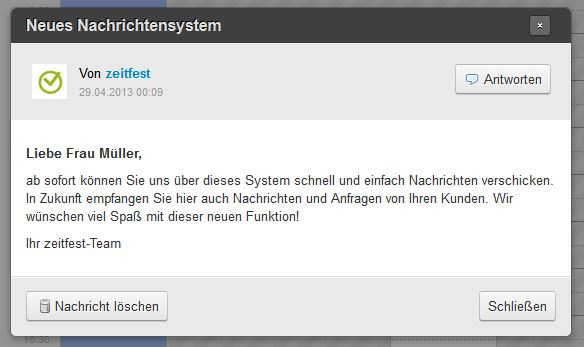
Message details
With the new messaging system, you can now quickly and easily contact our support. You can also exchange messages internally to communicate important information. In the future, you will also receive your customer inquiries through this system.
The customer file now offers tabs for each customer group, so you can quickly read the relevant information. In addition, new customers are listed in the "New Customers" tab. Here you can see which new customers have been entered or self-registered. You can also use the "Appointment View" option to see when appointments are scheduled for the listed customers. Ideal for checking whether series appointments have been scheduled or subscription customers have scheduled their appointments.
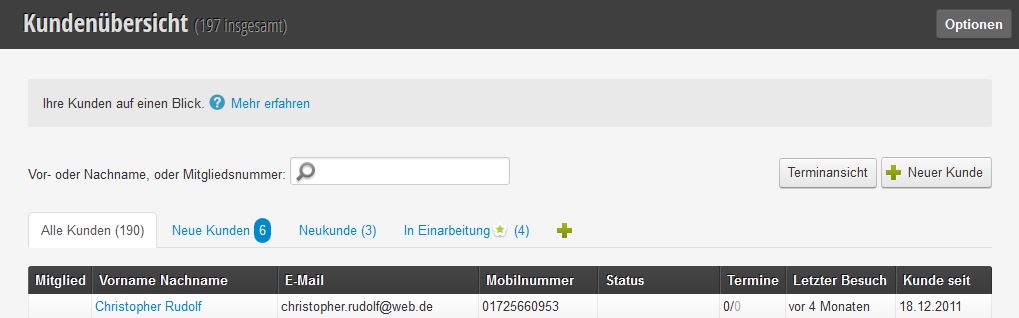
New groupings in the customer file
New types for your customer file fields: With checkboxes, selection boxes and long text, you can now design your customer file even more individually.
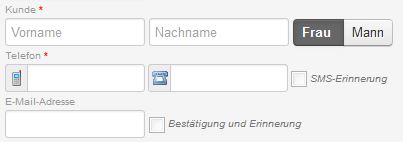
From now on, when entering an appointment, the landline number can be entered separately from a mobile number. Each customer thus also has two telephone number fields in the file. If you want to send landline SMS, you can now also remind these customers about an appointment. Simply enable "Landline SMS reminders" in the configuration and you will now reach these customers as well.
From now on, zeitfest can also be used in English. Ideal if certain employees speak English or you have a branch outside the German-speaking area.
Get in touch with us if you have any questions or would like to take a closer look at Belbo.

Melden Sie sich bei uns, wenn Sie nähere Informationen wünschen!