
8. Dezember. 2013 | von Christopher Rudolf
In recent months, we have renewed and improved many things in the zeitfest calendar. The focus of the changes was on the calendar, schedule, and customer database. Here are the most important changes at a glance.
In addition to countless optimizations, we have further developed traceability and transparency for teams.
After 5 minutes of inactivity, the calendar now automatically jumps to the current day. This ensures the calendar is always centered on the current day and today's date no longer needs to be reset by clicking on "Calendar" - even without using the mouse.
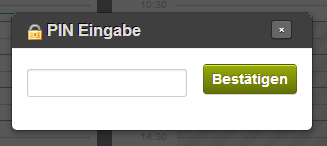
A PIN is requested when entering or modifying appointments.
Especially in multi-user mode, it is important for traceability to know who made what changes and when. For this purpose, PIN mode can be activated, which requires the entry of a personal, short password. Business owners can define a short password for each employee, which identifies the employee. This is requested with each creation or modification of appointments. In the detail window of an appointment, you can then see who created and modified the appointment.
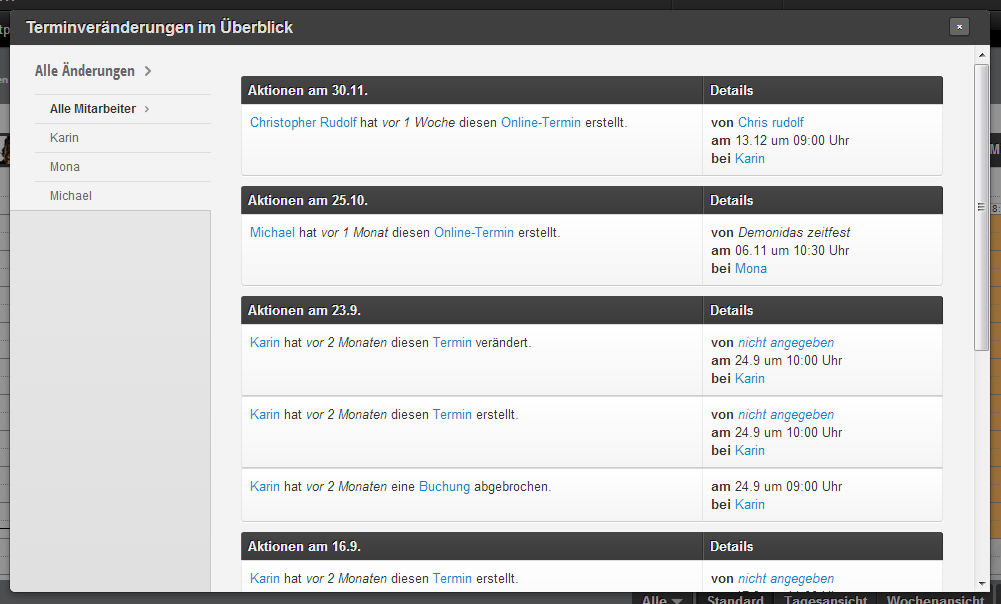
Example of an appointment history from a rarely used zeitfest calendar.
All changes in the calendar are clearly displayed in the new log: sorted by change date and filterable by employee, you can track what changes were made most recently.
This log is even possible for individual calendar days - accessible via the context menu of the day in the calendar - so that traceability of changes can be reduced to individual days.
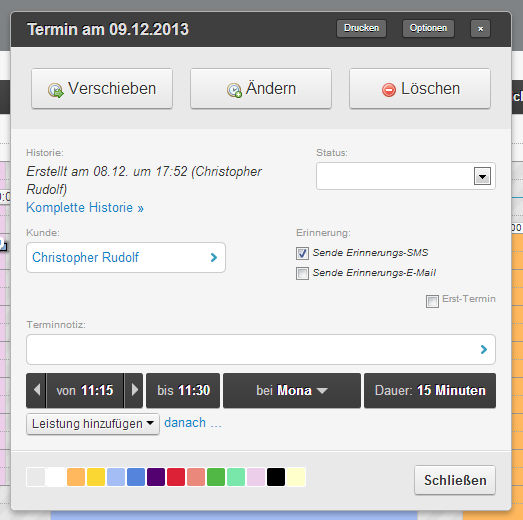
Appointment detail window with new reminder status fields.
For each appointment, you can now also view and change the reminder status afterwards. For this purpose, there are two options in the detail window of an appointment: "Reminder SMS" and "Reminder Email". At the same place, you can also see whether and when the email or SMS was sent.
In the day view, it is now easier to create and edit tasks. The "Create task" button is clearly visible in the top right. The tasks themselves are displayed at the top in a clear manner with plenty of space. At the same time, you can comment as usual and mark tasks as "completed".
We have newly centralized our online booking settings. All relevant settings are now in "Booking process".
In addition to the popular "flush" booking mode, there are two new modes: For each day, only the earliest possible appointment is offered, or the latest possible one. This enables natural coordination of the appointment sequence without manual intervention in the schedule.
News from your business is now displayed not only in your app, but also in your booking process. Keep your customers informed with current offers, images, and links.
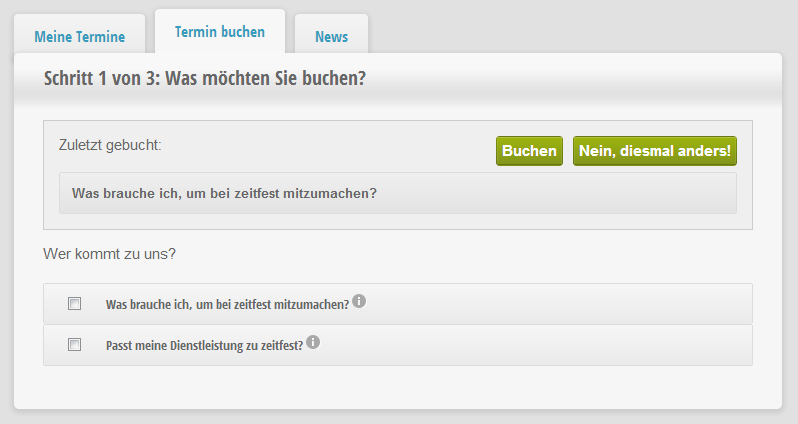
Customers can repeat their last booking
Your customers can now book their second appointment even more easily. The system automatically recognizes the customer again and offers to book the same services. This allows your customers to book the second appointment faster and don't have to search for their last services again first.
In addition to the calendar, our booking area is now also available in English. Give your customers the option to make their booking in English as well. Would you like more languages or do you want to support us? Please get in touch with us.
In the schedule, we have made two significant changes: new plannable time spans and schedule planning using templates for complete teams.
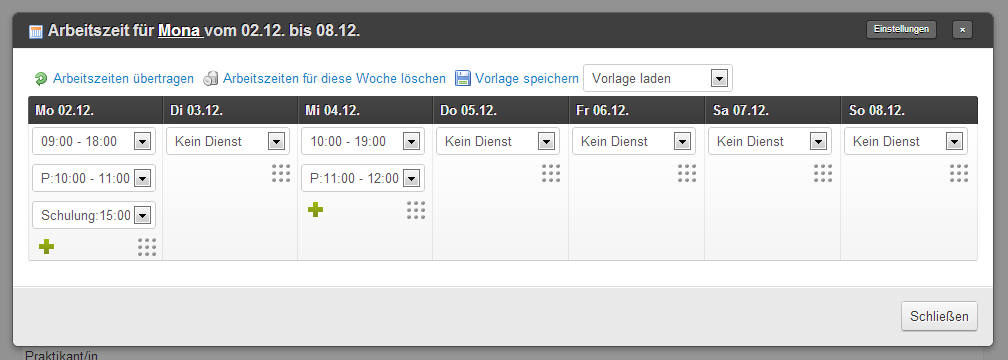
Working hours, breaks, and events can now be easily configured in the schedule
In addition to working hours, breaks and other events can now be coordinated. Breaks are deducted from working time calculations and are also highlighted visually. Half-day trainings or meetings can now also be scheduled.
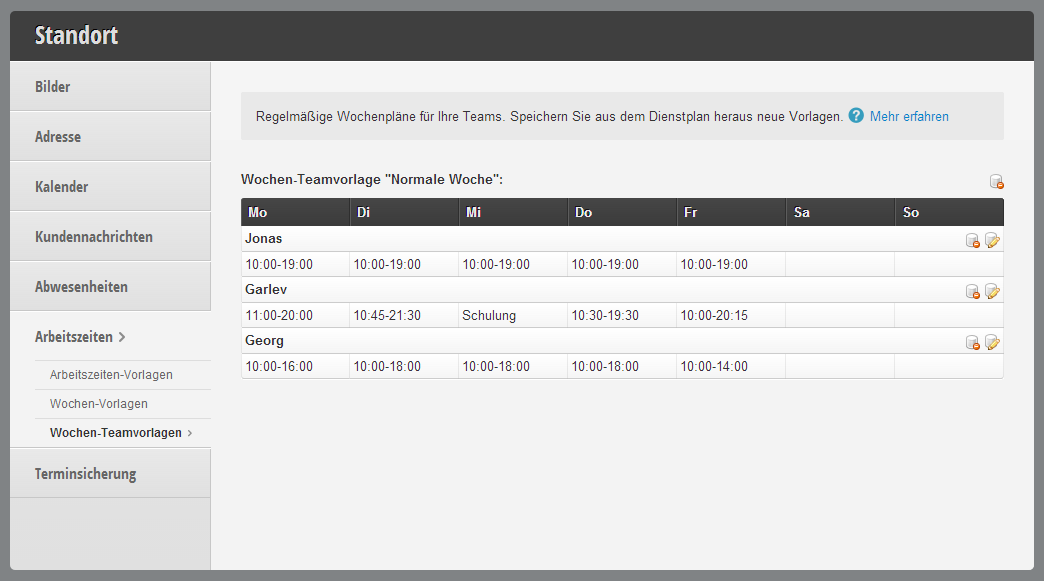
Templates for multiple employees can now be created and reloaded from the schedule.
Schedule planning can now also be done for multiple employees. For this purpose, you can load a working hours template in the schedule for all or some of the employees. This saves time since you no longer need to select the weekly plan individually for each employee.
If you wish, you as the owner can be informed about new vacation entries and also integrate an approval process: vacations must then be accepted by you first. You will conveniently receive a message in your inbox.
In the customer database, we have added new field types: Images and documents allow you to upload individual images for each customer or attach documents such as PDFs. This enables, for example, integrated management of contracts, but can also be used to document changes.
New email placeholders allow separate insertion of the appointment day and appointment duration. We have also fixed many errors related to the allowed visibility of appointment length and appointment start time to the customer.
The new message design is intended to simplify the overview of outgoing messages.
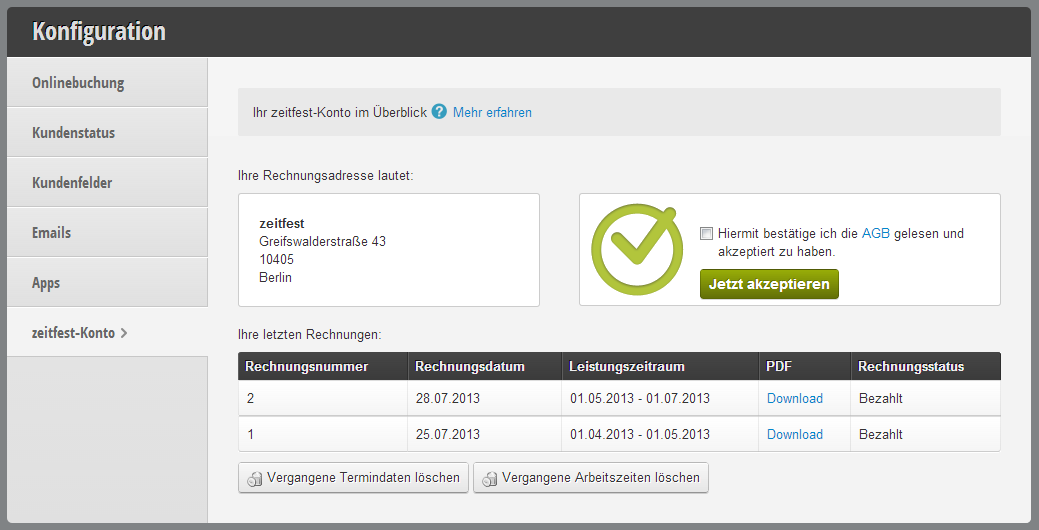
Billing address, paid invoices, and contract at a glance.
In addition to countless bug fixes, simplifications, and optimizations, we have now also digitalized your zeitfest account itself. Under the global settings, you can view your current contract and can also download your already paid invoices as PDFs.
Get in touch with us if you have any questions or would like to take a closer look at Belbo.

Melden Sie sich bei uns, wenn Sie nähere Informationen wünschen!