
16. Januar. 2015 | von Christopher Rudolf
During the company restructuring from "zeitfest GmbH" to "Belbo Business Software GmbH", so much has happened around zeitfest that we are publishing these changes here on the blog. We want to keep you up to date and distinguish between "New Features", "Improved Features", "Notes" and "Bug Fixes".
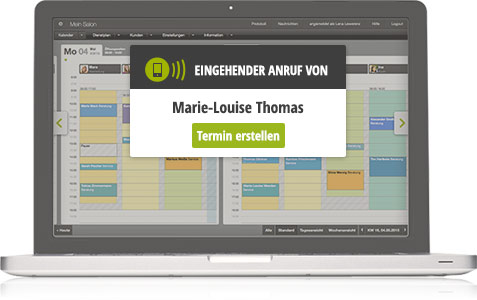
Our first piece of hardware is probably the most important new development, which is designed to make your appointment scheduling even faster and easier. Once connected in the salon or studio, the box transmits all incoming calls to your calendar. This allows you to cross-reference incoming calls with your customer database and thus help the customer faster without having to look up anything.
If a calling number is still unknown in the customer database, you can use the notification that appears in the calendar to transfer the phone number to an appointment, thus saving yourself from typing it from the display! Particularly here, you will experience tremendous time savings and a reduction in the probability of errors.
The Belbo Box costs one-time 149.90 euros including shipping and plus VAT.
Special thanks go to Daniel Weber for the thorough testing and excellent feedback!
Requirement: You must manage your telephone connection in your salon or studio via a Fritz Box. If you do not use a Fritz Box in your salon or studio, it is possible to purchase and connect a Fritz Box.
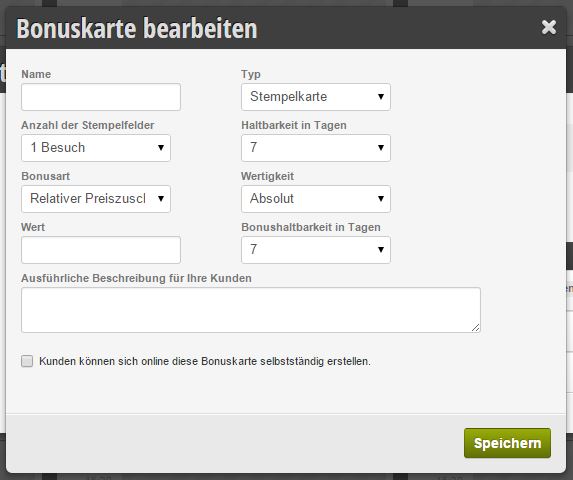
From now on, you can define your own loyalty program and manage it in your calendar. This way, everything stays in one place. Currently, you can define stamp and sales cards that can be assigned to customers. With each visit, you can then stamp the customer record and keep track of when the next bonus is due for the customer.
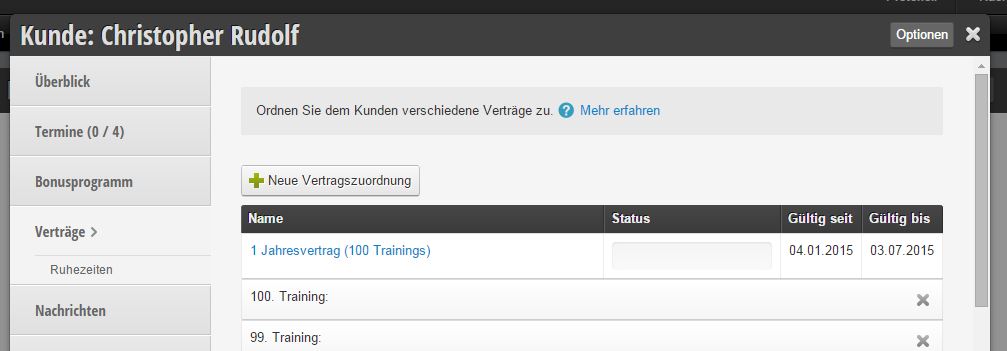
For gym owners, we have added contract management to the features. Each customer can be assigned a contract through this function, which has a term and a number of trainings. After each training session, a training can then be crossed off from the contract or if an appointment is missed, a missed appointment can also be recorded.
Especially suitable for salons with cutting and color specialists, this feature allows end customers to select different employees in online booking. Using the concept of booking groups, you can define which products customers are allowed to select their own employees for. This allows regular customers in particular to achieve perfect online scheduling.
In addition to customer fields, appointment-specific fields can now also be created. This is useful for storing more detailed information about which treatment or which products in what dosage were applied.
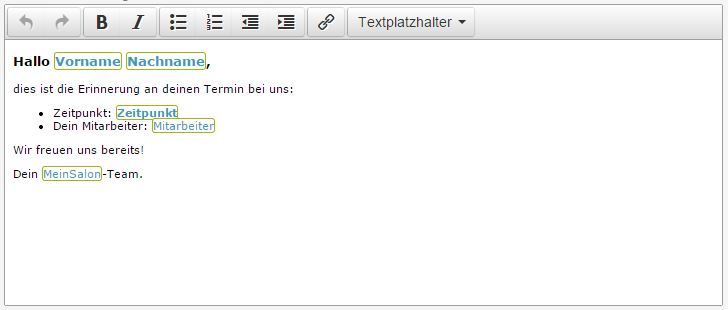
All text editing elements have been replaced with a new, simpler editing module. With this, you can more easily establish texts and links that should appear in your online booking or in your emails. The "Text Placeholders" section contains a list of usable placeholders for the specific text.
Each location can now be assigned an email address. If the online booking notification option "Send notification to location" is active, emails will be sent with a reply address from the location. This allows owners of multiple salons to directly assign customer responses to the correct location. All persons involved in the appointment will be mentioned in the email.
The customer's appointment request is now displayed in the calendar including selected services. Furthermore, the total number of appointment requests now appears in the calendar at the top right.
Appointment confirmations and reminders are sent in the language that the customer used during registration or last switched to
After successful registration, customers can now independently delete themselves. This is done in the Profile tab. Furthermore, it is possible there to change their email address. For this, the new email address must first be added and confirmed. Then the new email address can be selected as the new primary email address.
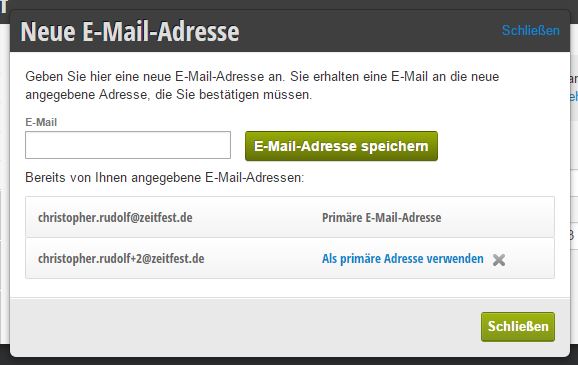
Employees can now change their email address. For this, the respective employee must log in and go to their profile. There they can store a new email address analogous to the customer profile and, after confirmation, convert it to their new primary email address. Furthermore, a landline number can now also be stored for each employee with their own login.
If a reminder SMS or email could not be delivered, the employee receives a notification at the next appointment scheduling informing them that this information is incorrect. The employee then has a direct opportunity (since they are just scheduling the appointment for the customer) to cross-check the data.
If an employee also performs the previous time step, a time adjustment of the current step can now be made. This is suitable, for example, for hairdressers precisely when, for example, an assistant or the stylist applies the color and then the assistant always performs a beauty consultation afterwards. In this case, the assistant can work much faster if she is already applying the color to the customer.
It is now possible to block the free text message in online booking. This is intended to prevent customers from potentially adding appointment-specific requirements that they could have fulfilled themselves.
In addition to services and online booking processes, absences and email templates can now also be synchronized between locations.
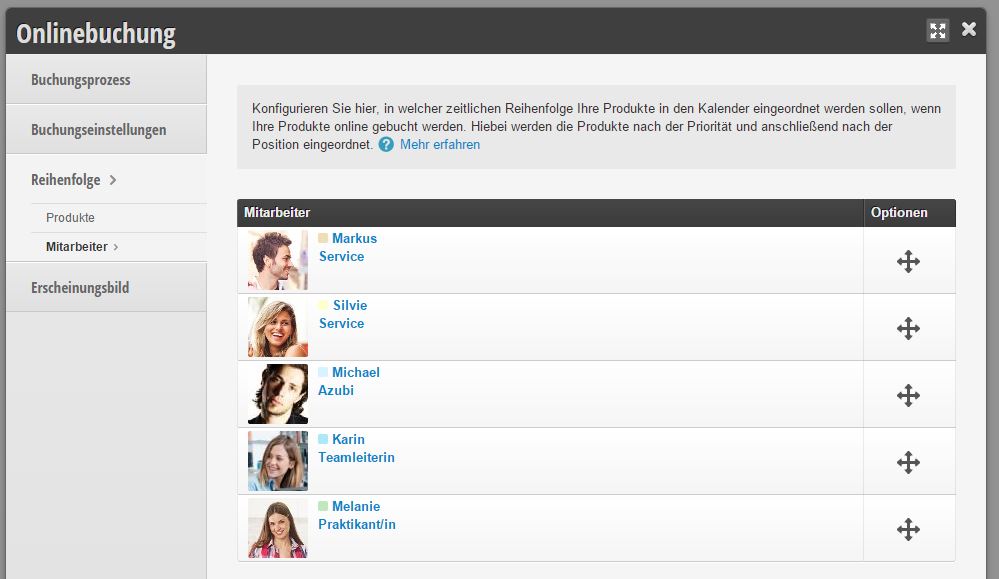 Employee Order in Online Booking
Previously, the employee order in online booking could not be customized separately. Now this can be defined independently of the calendar order. In the "Online Booking" -> "Order" -> "Employees" section, you can freely rearrange the online bookable employees.
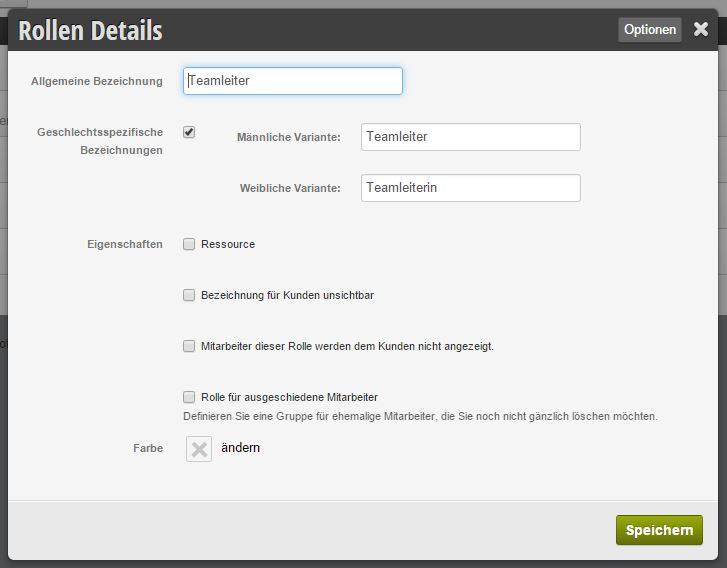
The employee role serves to group employees according to competencies and prices. We have extended this grouping with the following properties:
The new strict location mode allows you to explicitly control which stores a customer is allowed to book appointments in. After activating this option, there is a new section for each customer in the customer file for the assigned locations.
Get in touch with us if you have any questions or would like to take a closer look at Belbo.

Melden Sie sich bei uns, wenn Sie nähere Informationen wünschen!