

24. Dezember 2019 Marketing
You noticed a spelling error when sending a marketing campaign and stopped the shipment? From now on, after you cancel and correct the text, you can continue the campaign. Simply click on "Continue sending" for this.
learn more
29. August 2019 Marketing
The recipient calculation has been revised and now displays detailed information when manually calculating recipients.
learn more

27. August 2019 KasseMarketing
Automate and standardize your referral discounts.
learn more
2. August 2019 KalenderMarketingStatistiken
The new "Daily Statistics" feature allows you to evaluate how many and which appointments were booked within a certain period. In contrast to previous statistics, which are based on the appointment date, you can now analyze whether sufficient "new bookings" are being made.
learn more
2. August 2019 KundenMarketing
Within a marketing campaign, recipients can now be added manually instead of via filters. Open the campaign, switch to the "Status" tab and select "Manually add customer". A search dialog will open where you can easily add a recipient.
learn more
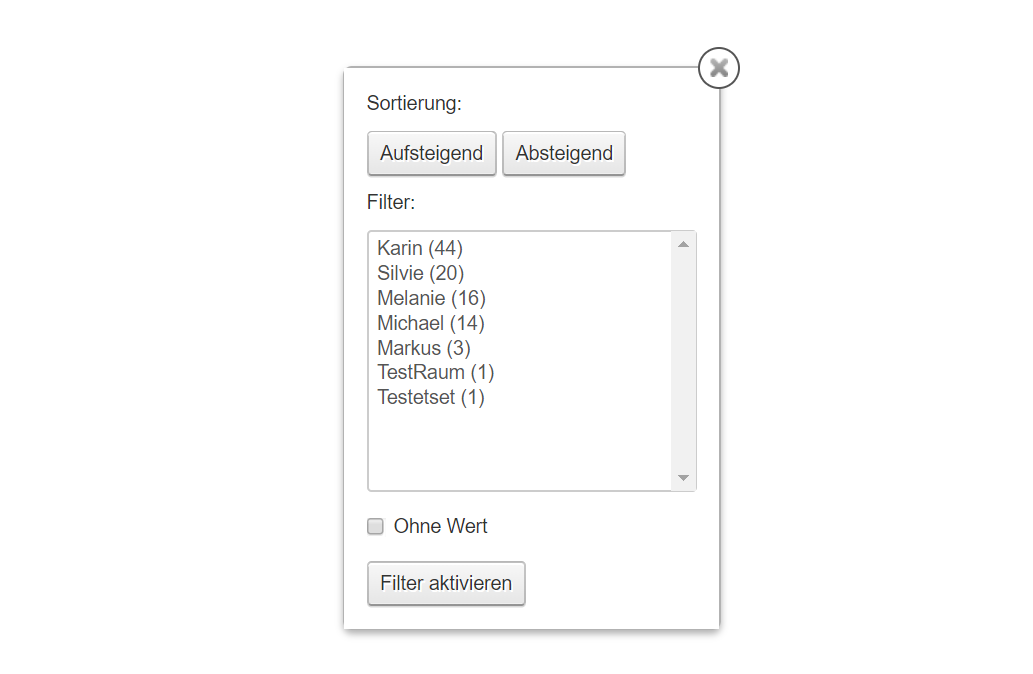
In your customer file, the "Last Employee" column is now available. With this, you can specifically filter, sort and contact customers. All marketing and export functions are also designed for this type.
learn more
18. Juni 2019 KalenderKundenMarketing
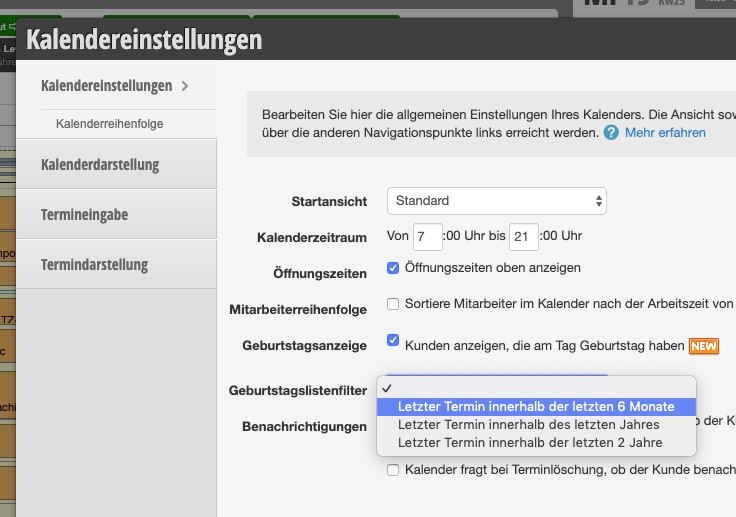
For the birthday lists, there is now the option to define a standard filter period. You can use this to define a minimum period since the last appointment in order to deactivate birthday reminders for inactive records.
learn more

With the rating function, you can send rating requests to your customers automatically or manually. From now on, we're also making it easier for you to integrate external rating providers such as Facebook or Google.
learn more

12. Juni 2019 KalenderKundenMarketing
Now birthdays can also be displayed directly in the calendar. So you don't miss any congratulations.
learn more
12. April 2019 KalenderKundenMarketing
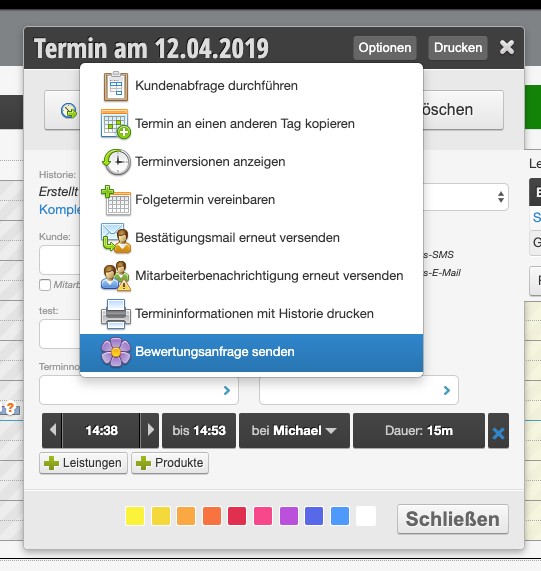
The rating request is normally sent automatically X days after the last appointment. From now on, you can also send it manually - for example, if the appointment went very well. Click on Options in the top right of the appointment dialog and you will find the option "Send rating request".
learn more