
19. Januar. 2018 | von Anna-Lena Lewerenz
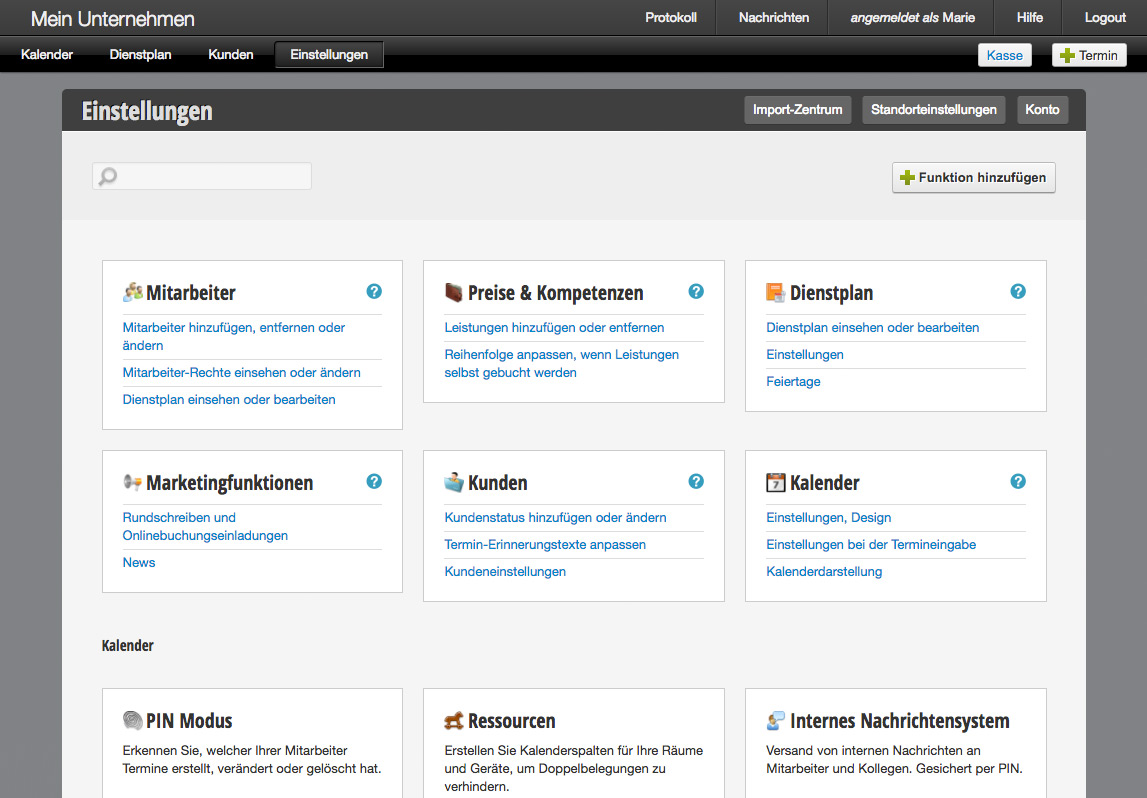 All calendar functions are now displayed on the settings page, which you can conveniently access via the main menu. At a glance, you can see all already activated functions. Using the "Add function" button, you will be taken to the practical overview where you can find out about all available functions.
From now on, you will only see the functions in your daily use that you have actually activated. This results in significantly simplified calendar usage. Furthermore, it is now possible to find out about all existing functions in one place and tailor the calendar exactly to your own company.
As before, most functions remain free to activate. Paid functions – such as the Belbo cash register system or the SMS function – are transparently marked as such. No price change has taken place as a result of this change, of course.
In our detailed article you will find all information about the new settings page:
Get in touch with us if you have any questions or would like to take a closer look at Belbo.

Melden Sie sich bei uns, wenn Sie nähere Informationen wünschen!