
20. März. 2014 | von Anna-Lena Lewerenz
Quietly and discreetly, we have reorganized zeitfest in our little office again, and thus considerably expanded our product variety. Any wishes left unfulfilled? We don't think so! Otherwise, feel free to contact us in the new zeitfest forum and we'll discuss your wishes regarding calendars, scheduling and online booking:
http://facebook.com/groups/zeitfest
We now summarize the most important changes of the last two months.
The new options window in the schedule allows you to customize your schedule. Here you can now activate 3 additional options that can simplify your workflow.
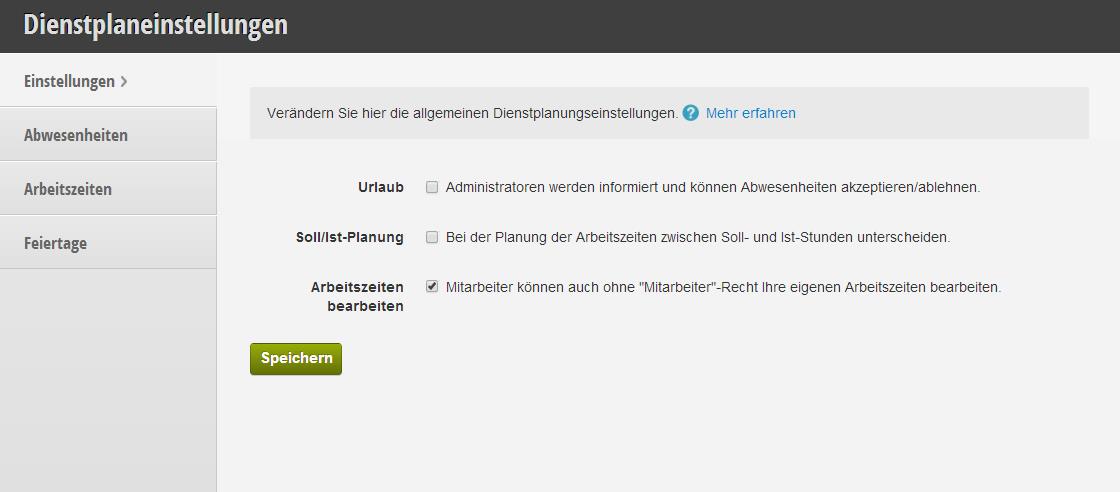 Here you can configure all schedule options.
This option allows employees to not independently enter vacations, but rather these must first be accepted by the administrators of your business. The employee without administrator rights can then only create vacation requests. Please note that vacation for online booking will only be accepted once the administrator has approved the vacation.
The new planned/actual scheduling mode allows the entry of planned hours. These are automatically matched with the actual work hours resulting from work time minus breaks. In the monthly export, accessible via the schedule options menu, you can read off overtime and shortfall hours. Additionally, sick days and vacation days are clearly displayed here.
 Here you can manage your employees' work hours.
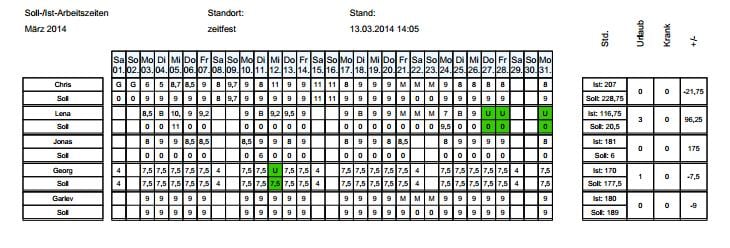 In the export, quickly and clearly view the status of planned/actual hours
This option allows employees who should not have scheduling rights to nonetheless edit their own work times. Particularly in connection with the planned/actual mode, this option is practical so that each employee can record their own actual work times.
We have greatly simplified the scheduling configuration. Resources and employees can now be blocked simultaneously much more easily - with just one click. This is done via the "Block Simultaneously" button. Subsequently, the person/resource to be blocked can be selected, just as you are used to from normal schedule configuration. The duration and description no longer need to be edited afterwards for all affected time steps, which saves a lot of time and effort during configuration.
Are you wondering why certain employees cannot be booked online for certain services? Please note the new preview in the product window under "Scheduling". This list shows the employees who are available online for customers to book. Additionally, changes made are now highlighted in color and confirmed with a visual highlight.
The appointment log can now be filtered for "deletions" and "creations or changes". To do this, simply deselect the corresponding option and view only appointment deletions for the selected day or the entire log. This is intended to help you quickly identify how certain bookings came about.
 Filter for appointment changes
In addition to the new appointment filtering options, you can now also view changes to work times. These are located in the overall and daily log directly below the appointment changes. There you can restrict changes to specific employees and thus more easily find out when or if the shift was recently changed. Please note that the work time log is easily accessible throughout the schedule and work time windows: simply via the options menu under "History".
In addition to normal appointment bookings for employees and resources, courses can now also be added and made available for online booking. After activating course mode in the options window of "Prices & Services", you can now create courses here: Create the range of your courses and add prices, descriptions, and the associated scheduling.
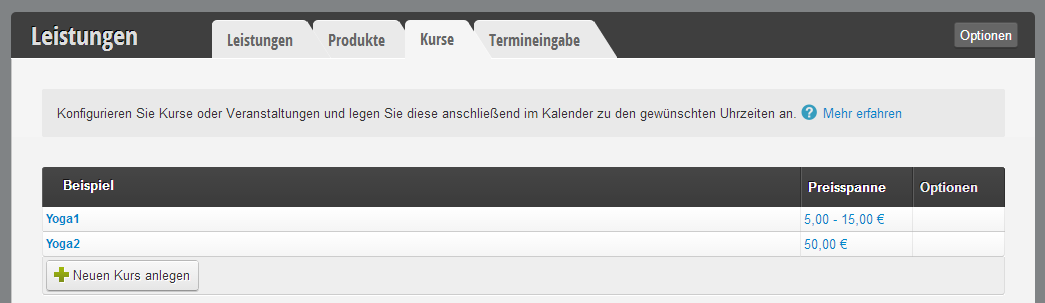 Overview of offered courses
You can then enter your course dates in the calendar and select the "Courses" tab in the new appointment window. There you simply select your course type and then the number of allowed bookings. Online, as well as in the calendar, you can now add new participants.
For online bookers, there is now a convenient agenda view of courses, as well as a weekly plan. Please note that course bookings are not yet possible in the native iOS and Android apps.
From now on, online bookers can view and manage their own profile. New phone numbers or other information can now be updated independently without having to call the business. The profile is located in the logged-in area under the "Profile" tab.
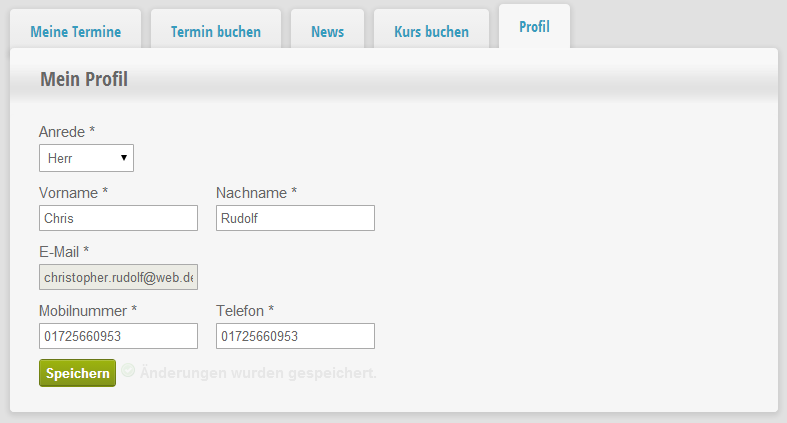 Your profile as an appointment booker
The results of the usability study with TU Berlin have been implemented. Simplifying the menu structure and simplifying the interface were core aspects of the improvements. We hope you find your way around easily. Please note the following important changes:
zeitfest cooperates with various loyal partners. We want to make these cooperations more easily accessible to you and have opened the "Partner Program" section for Pro customers. In the future, you can benefit by centrally managing entries in directories via zeitfest and thus easily reach new customers or configure other features. The Partner Program section will be greatly expanded in the future, and we look forward to your partnership wishes! In the coming weeks, we will introduce our partners individually.
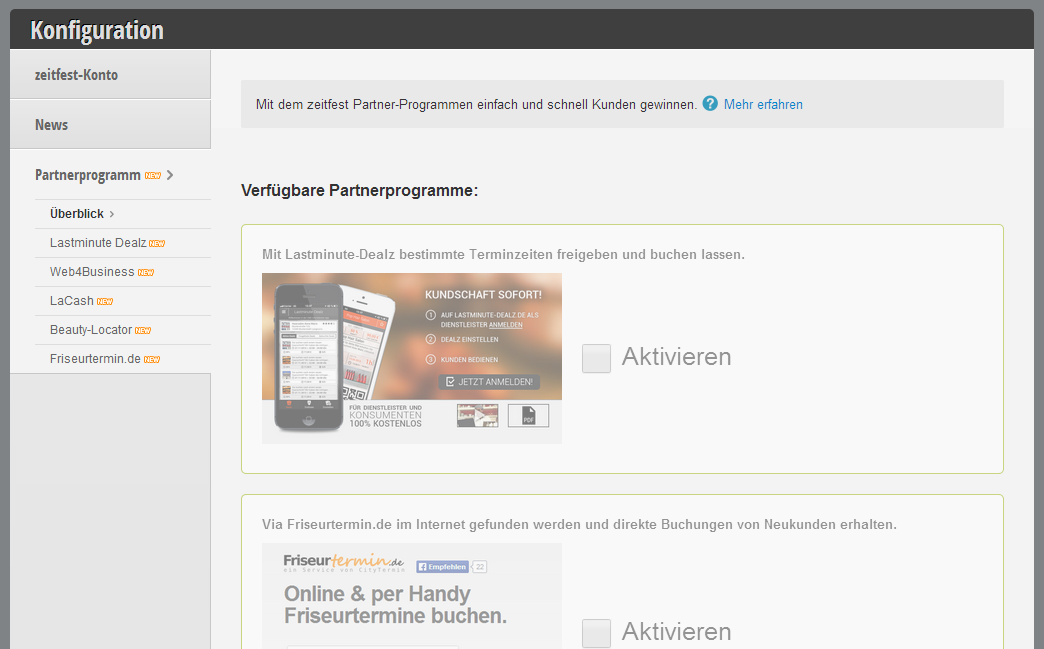 Add or remove a partner with one click.
We look forward to your feedback and would be happy to meet you personally at our booth. Our next trade show dates are:
Get in touch with us if you have any questions or would like to take a closer look at Belbo.

Melden Sie sich bei uns, wenn Sie nähere Informationen wünschen!